
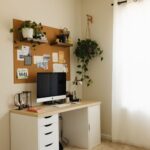

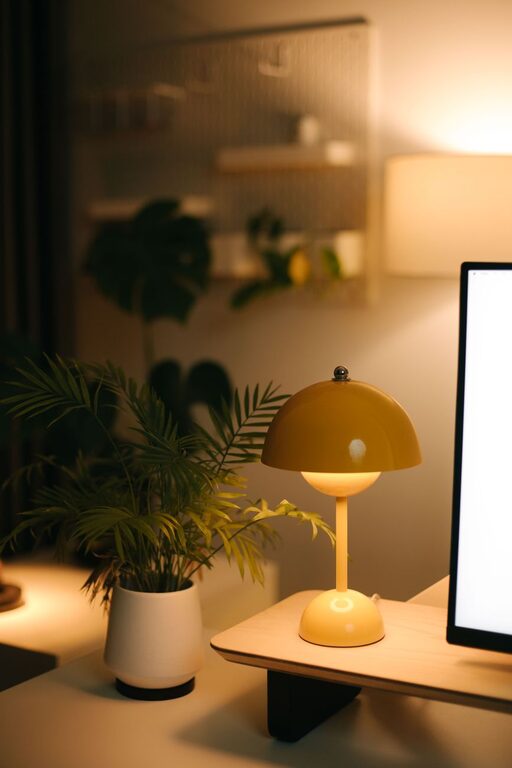
Creating a cozy and inviting home office space is more important than ever as many people find themselves working from home regularly. A well-designed office not only enhances productivity but also makes your workday more enjoyable and less stressful. If you want to upgrade your workspace, here are some helpful tips to turn your home office into a comfortable and welcoming area.
Choose the Right Location
Find a Quiet Spot
Start by selecting a location in your home that is quiet and free from distractions. Ideally, this would be a separate room or a corner away from high-traffic areas.
Consider Natural Light
Natural light boosts mood and reduces eye strain. Position your desk near a window if possible. If natural light is limited, make sure you have good artificial lighting to keep the space bright.
Invest in Comfortable Furniture
Select an Ergonomic Chair
Comfort is key when spending long hours at your desk. An ergonomic chair supports your posture and reduces back pain.
Opt for a Spacious Desk
Choose a desk size that fits your needs. It should accommodate your computer, supplies, and any other essentials without feeling cluttered.
Personalize Your Space
Choose Soothing Colors
Colors can affect your mood. Soft, neutral tones or calming blues and greens create a relaxing environment. Avoid overly bright or harsh colors that might be distracting.
Add Personal Touches
Decorate your office with items that inspire you, such as artwork, plants, or photos. These add warmth and personality to the space while keeping it professional.
Organize Efficiently
Use Storage Solutions
Keep your workspace tidy with shelves, drawers, or storage boxes. Organizing supplies and documents reduces clutter and helps you focus.
Manage Cables
Tidy cables with clips or sleeves to prevent tangled wires. This not only makes your desk look cleaner but also minimizes hazards.
Optimize Lighting
Layer Different Light Sources
A combination of overhead lighting, task lamps, and ambient lighting is ideal. Task lamps focus on your work area, while ambient lighting sets a comfortable mood.
Use Warm Light Bulbs
Warm light bulbs create a cozy atmosphere. Avoid harsh fluorescent lighting that can be tiring for the eyes.
Incorporate Comfort Features
Add Soft Textiles
Use rugs, cushions, or a soft blanket on your chair to increase physical comfort.
Include Natural Elements
Indoor plants or natural materials like wood add freshness and improve air quality, enhancing your workspace environment.
Create a Dedicated Tech Setup
Ensure Proper Monitor Height
Position your monitor at eye level to reduce neck strain.
Use a Quality Keyboard and Mouse
Ergonomic input devices contribute to comfort during extended use.
Maintain a Balance Between Work and Relaxation
Set Boundaries
Clearly define your office area, so family members recognize when you are working.
Take Breaks
Design your office with a small spot to stretch or relax briefly, such as a comfortable chair or a meditation corner.
Regularly Refresh Your Space
Declutter Weekly
Spend a few minutes weekly tidying your workspace to maintain a pleasant environment.
Update Decorations Seasonally
Changing artwork or accessories can keep your home office feeling fresh and inspiring.
—
Creating a cozy, inviting home office is about combining functionality with personal comfort. By selecting the right location, investing in ergonomic furniture, personalizing your space, organizing efficiently, and paying attention to lighting and comfort, you can design a workspace you look forward to using every day. Whether your home office is a small corner or a dedicated room, these tips can help you create a productive and welcoming environment.
More Stories
Tips for Creating a Cozy and Inviting Living Room Space at Home
How to Create a Cozy and Productive Home Office Space
Tips for Creating a Productive Home Office Environment