
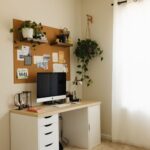

Creating a home office that is both clutter-free and productive can greatly enhance your work-from-home experience. A well-organized space not only looks inviting but also helps you focus, reduces stress, and improves efficiency. Whether you’re starting from scratch or looking to refresh your current setup, these tips will guide you toward a more organized and productive work environment.
Why a Clutter-Free Home Office Matters
Before diving into practical advice, it’s helpful to understand why organization matters. Clutter can distract you, making it harder to concentrate and find what you need. On the other hand, a tidy workspace promotes calmness and clarity, allowing you to work smarter, not harder.
Step 1: Choose the Right Location
Your home office’s location sets the foundation for your productivity.
– Natural Light: Pick a spot with plenty of natural light to boost mood and energy.
– Low Traffic: Avoid areas with heavy foot traffic or distractions.
– Space for Essentials: Ensure enough room for your desk, chair, and storage.
Step 2: Select Functional Furniture
Invest in furniture that supports your workflow and comfort.
– Ergonomic Chair: Choose a chair that supports good posture.
– Desk with Storage: A desk with drawers or shelves helps keep essentials organized.
– Adjustable Desk: Consider a sit-stand desk for variety and health benefits.
Step 3: Declutter and Simplify Your Space
Start by removing unnecessary items.
– Remove non-essential items from your desk.
– Keep only items you use daily within arm’s reach.
– Use storage boxes or organizers for small items like pens, paper clips, and chargers.
Step 4: Organize with Purpose
An intentional organizational system will keep clutter at bay.
Use Storage Solutions
– Shelving: Wall shelves can store books, supplies, or decorative items, freeing desk space.
– File Cabinets: Use these to keep documents sorted and out of sight.
– Drawer Organizers: These divide drawers to keep small items neat and accessible.
Create Zones
Designate areas for different tasks.
– Work Zone: Your main desk area with computer and tools.
– Reference Zone: Shelves or cabinets for books and manuals.
– Supplies Zone: Storage for office supplies, ideally close by.
Step 5: Manage Cables and Technology
Tame cable chaos for a cleaner appearance.
– Use cable clips or sleeves to bundle wires.
– Label cords to identify devices easily.
– Invest in a charging station to keep chargers tidy and ready.
Step 6: Maintain a Paperless Workflow
Paper can quickly become clutter.
– Opt for digital tools to reduce paper usage.
– Scan important documents and store them in organized folders on your computer.
– Use apps for note-taking and reminders.
Step 7: Personalize Without Overcrowding
Add touches that make the space enjoyable but not distracting.
– Use a few plants to add freshness and improve air quality.
– Hang artwork or inspirational quotes sparingly.
– Keep personal items to a minimum to maintain focus.
Step 8: Develop Daily Habits for a Tidy Office
Keeping your office organized is an ongoing process.
– Spend five minutes at the end of each day tidying up.
– Put items back in their designated places immediately after use.
– Regularly review and discard unused or unnecessary items.
Benefits of a Productive Home Office
An organized home office space is a powerful tool for success.
– Better concentration and fewer distractions.
– Easier to find supplies and documents.
– Improved time management.
– Greater overall satisfaction with your work environment.
Final Thoughts
Organizing your home office doesn’t have to be overwhelming. By choosing the right location, investing in functional furniture, and establishing good habits, you can create a clutter-free workspace that boosts productivity and makes working from home a pleasant experience. Remember that your workspace should work for you—feel free to adjust and improve it over time to meet your needs.
Start today by decluttering a small area and take one step closer to a more efficient home office!
More Stories